For comma 4 · free and open source
Your openpilot, in the palm of your hand.
LizPilot opens a panel for your comma on your phone. See live what openpilot is doing, follow every drive and change the options with the car parked. No cloud and no account.
Today on the Haval H6 GT with a comma 4. Other cars are on the way: see compatibility.
- Runs on the commaNo server and no app store
- Only on your networkHome Wi-Fi or the comma's hotspot
- Up to 5 phonesPaired with a QR and a code
- 3 languagesPortuguese, English and Spanish
Benefits
Everything openpilot does, explained on your phone
The driver watches the road. On the move the panel belongs to the passenger; parked, it's yours.
Live
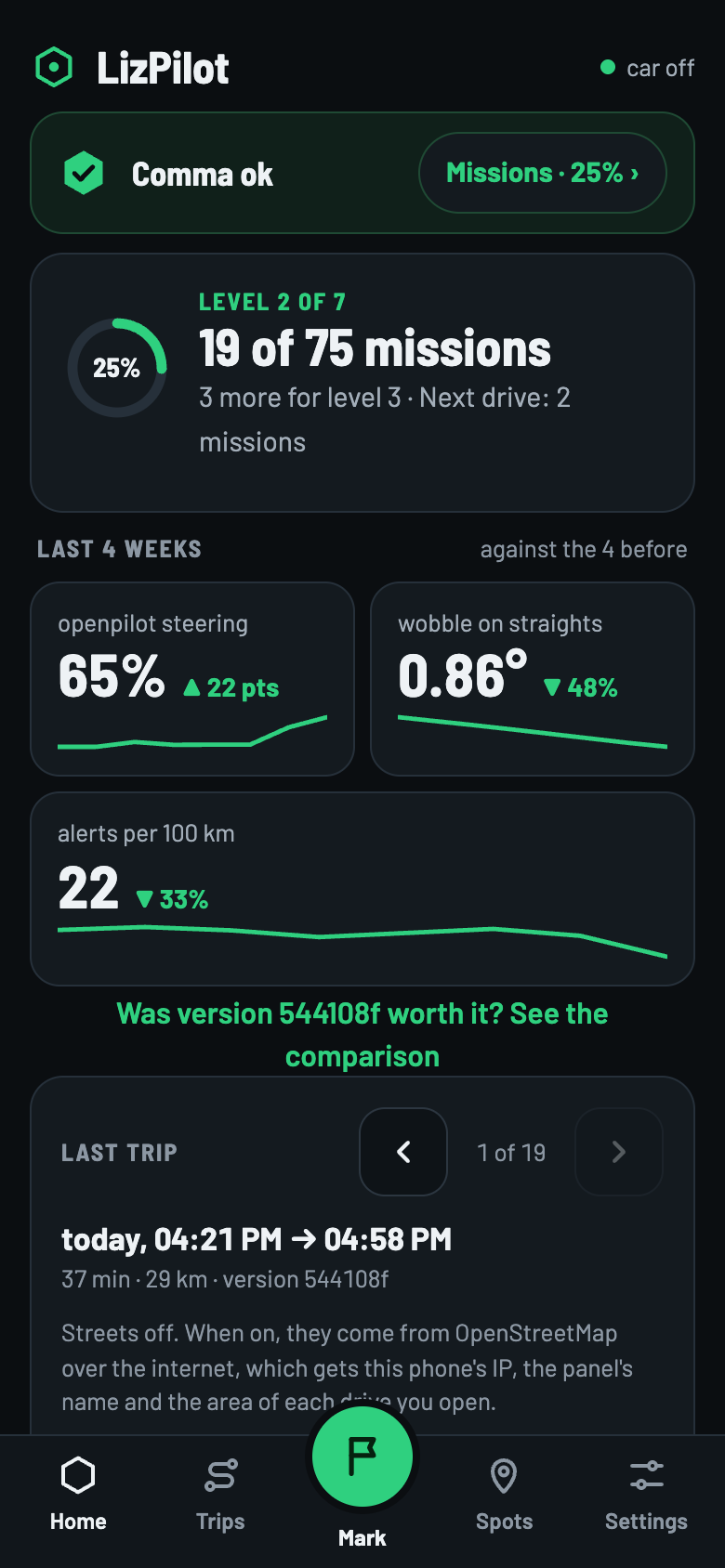
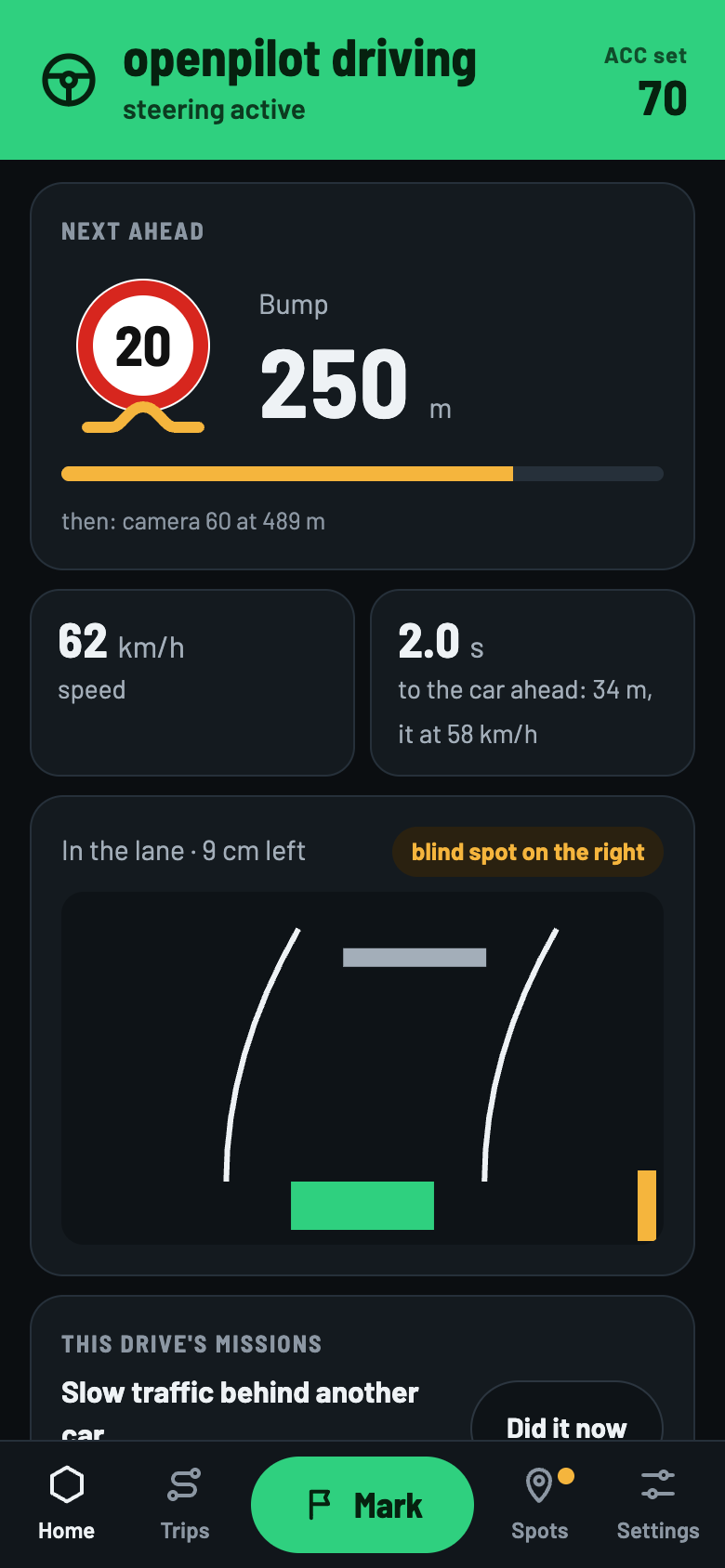
Who's on the wheel, the ACC, the next speed camera or bump, the car ahead and where you are in the lane.
Every drive measured
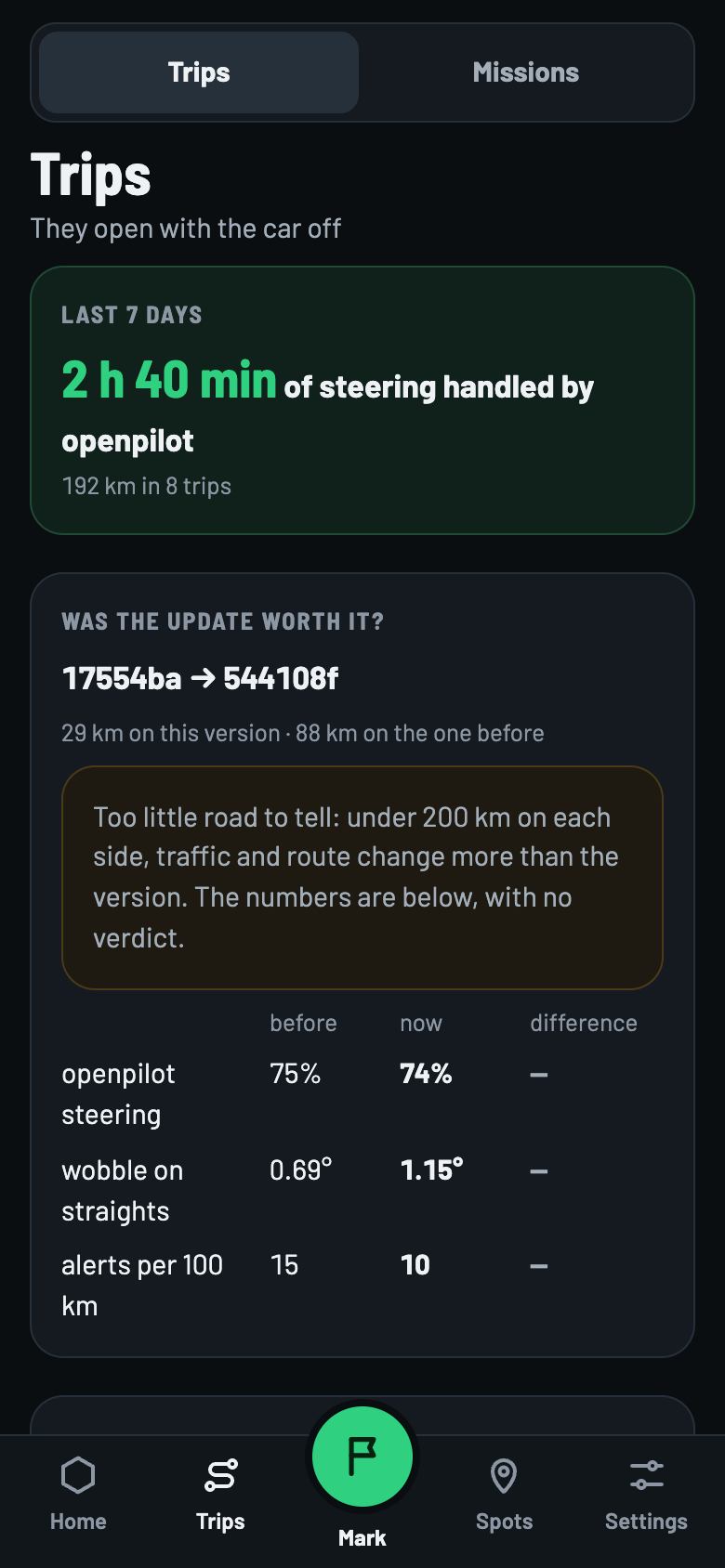
History, map and the numbers for the last weeks: how much openpilot drove and whether the update was worth it.
Missions
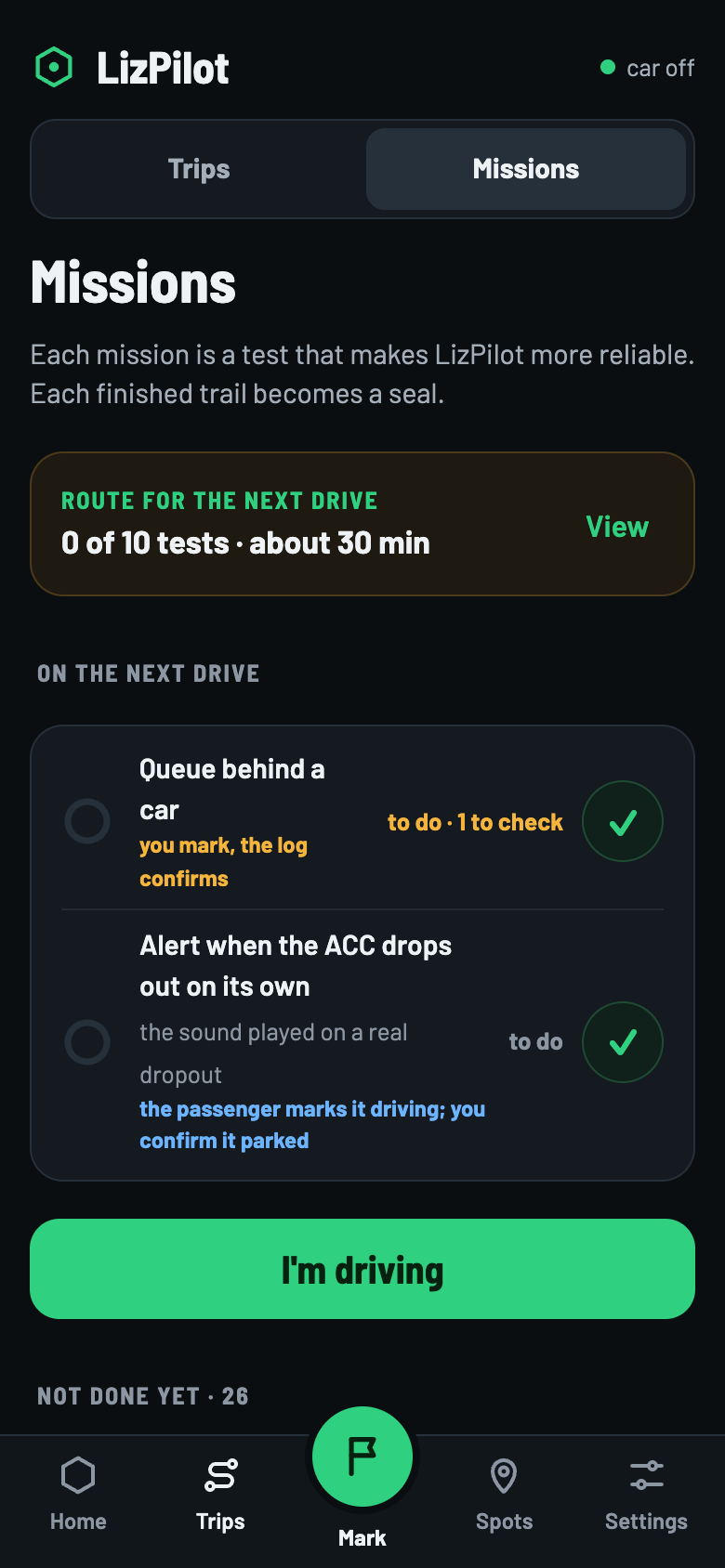
Guided tests to prove each feature in your daily driving. You mark it, the log confirms it.
Copilot mode
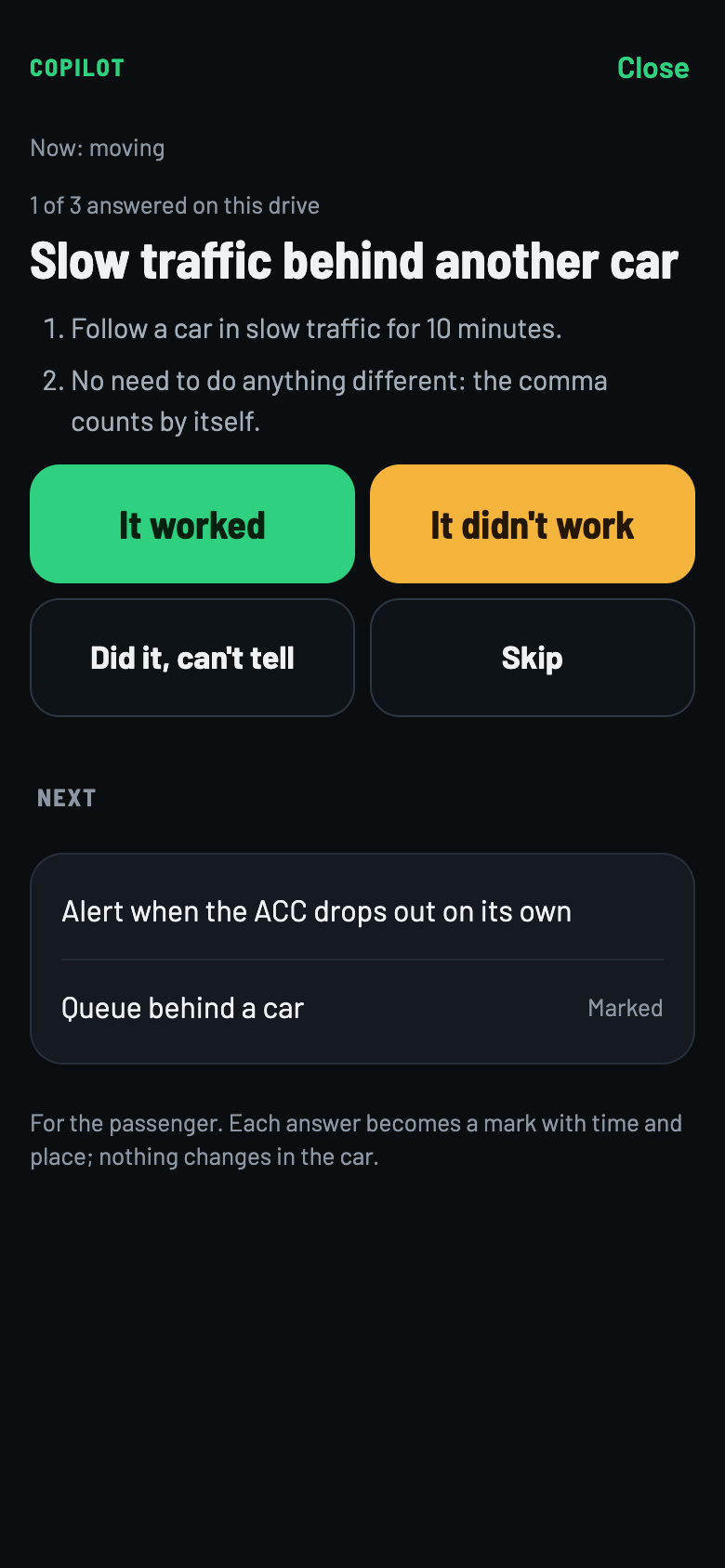
The passenger runs the missions, one at a time, and the driver just drives.
Mark
One tap saves the time and place of something that happened, to check later.
Settings without a cable
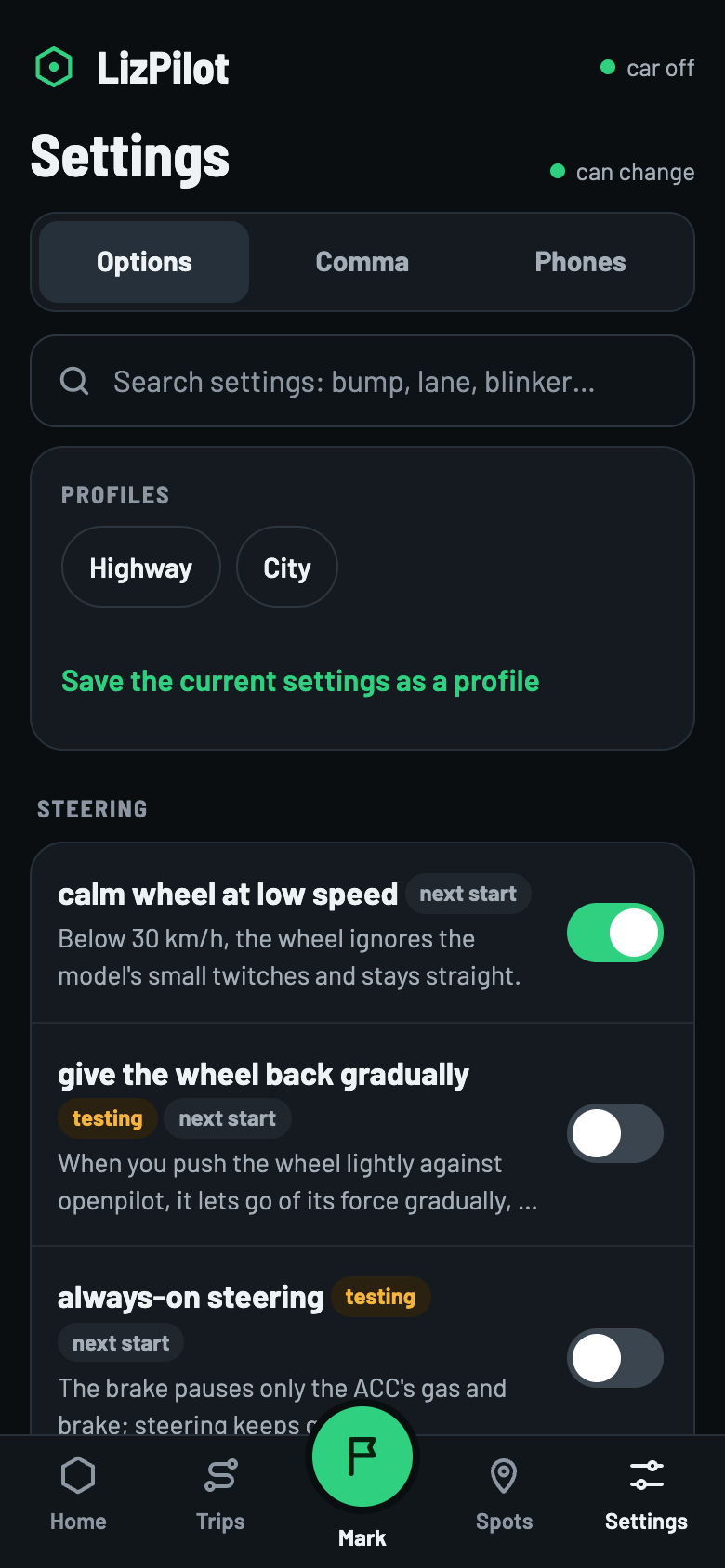
Turns the LizPilot options on and off and updates the comma, always with the car parked.
The app
Made for the car: dark, big and to the point
Panel screens, with test data.
Swipe to see the others ›
Privacy and safety
It stays out of the driver's way
- No internet. The panel runs on the comma and only opens on a phone on the same network.
- Read-only on the move. The phone changes nothing in the car. Steering and speed options only change in P or with the car off.
- Not in the steering loop. If the panel goes down, openpilot keeps driving.
- Pairing with a code. A QR and a 6-digit code, valid for 2 minutes. On the comma, one tap disconnects every phone.
- New options start off. The ones in testing are marked testing.
- A mission unlocks nothing. Missions, levels and badges never change the car.
Install
From the comma to your phone in four steps
Just once. After that, the comma updates itself over Wi-Fi.
- comma 4
- Haval H6 GT PHEV with the Haval harness
- Phone on the same Wi-Fi as the comma or on its hotspot
Drawing of the comma 4 screen, with the names it shows. The LizPilot page on the comma is in Portuguese.
Install LizPilot
In the comma setup, slide slide to install custom software and type
cpontes/h6gt. The comma downloads and installs it by itself.Already on openpilot? software → uninstall openpilot takes the comma back to setup. Uninstalling erases logs, calibration and learning.
Drawing of the comma 4 screen, with the names it shows. The LizPilot page on the comma is in Portuguese.
Turn on the panel
In Settings → LizPilot, turn on phone panel (painel no celular). This option can only be changed on the comma.
Drawing of the comma 4 screen, with the names it shows. The LizPilot page on the comma is in Portuguese.
Get the code
Tap pair phone (parear celular). The comma shows a QR and a 6-digit code, valid for 2 minutes.
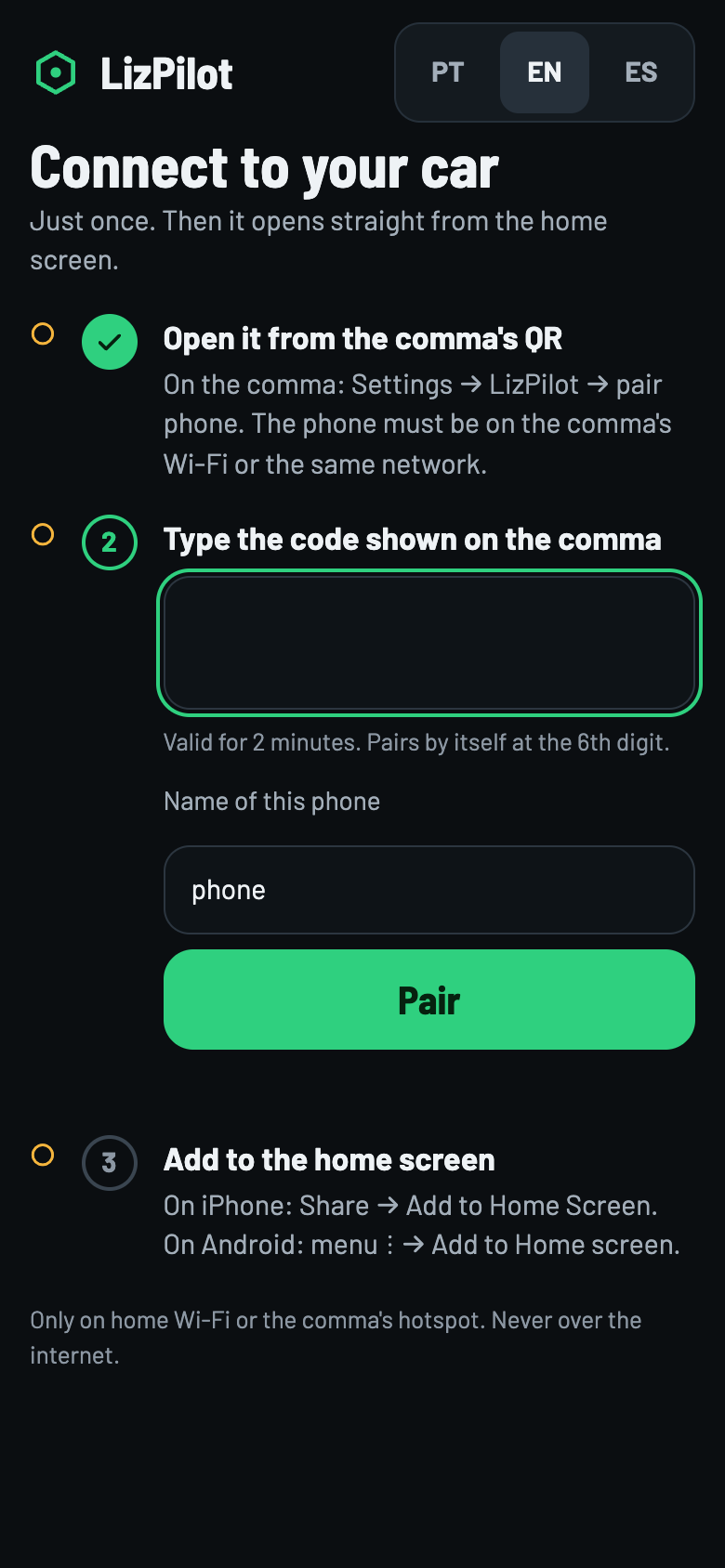
The screen the QR opens on the phone.
Point the camera
On the phone, on the same Wi-Fi or the comma's hotspot, scan the QR and type the code. It pairs by itself at the 6th digit.
Then add it to the home screen: the panel opens like an app.
Compatibility
Does it work on my car?
LizPilot comes with a version of openpilot, and today that version is made for one car only.
Haval H6 GT PHEV + comma 4
Tested on a 2024 H6 GT PHEV. Support for this car comes from this project and is not in official openpilot yet.
Other cars
Don't install it on another car. Today this version makes the comma always identify the car as a Haval: on another car, it would run the Haval's code.
comma 3 and 3X
The LizPilot menu and phone pairing only exist on the comma 4 screen.
Want LizPilot on your car? Follow the project on GitHub.
Access
Already installed? Open the panel.
With a paired phone, open it by the comma's fixed name:
lizpilot.local:8088The first time on this address, pair once more. If the name doesn't open, scan the QR on the comma again.
Only on your network
- Home Wi-Fi (the same as the comma's) or the comma's hotspot.
- On mobile data, the panel doesn't open.
- Never on someone else's Wi-Fi: another device on the same network could pretend to be lizpilot.local.
Questions
Frequently asked questions
How much does it cost?
Nothing. LizPilot is free and open source, under openpilot's MIT license. The code is on GitHub.
Does LizPilot drive the car?
No. openpilot drives, as a driver assistance system: you stay responsible, watching the road with your foot ready on the brake. The panel shows and adjusts, and only changes options with the car parked.
Do I need an account or internet?
No. The panel runs on the comma itself and only opens on a phone on the same network. There is no LizPilot account or server.
How do updates arrive?
The comma follows the cpontes/h6gt channel and updates itself over Wi-Fi, without reinstalling. In the panel, Settings → Comma → Update shows the version.
Which languages?
The phone panel speaks Portuguese, English and Spanish. The LizPilot page on the comma screen is in Portuguese.
How many phones can I pair?
Up to 5. The sixth one drops the oldest. On the comma, disconnect phones (desconectar celulares) removes them all.
Can I go back to official openpilot?
Yes. software → uninstall openpilot takes the comma back to setup; there, slide slide to install openpilot. Uninstalling erases logs, calibration and learning.
Where do I learn to use it?
In the manual: every screen, Missions, copilot mode, safety and common problems.